- Home
- Works & Tech
- Create a Simple Game in Unity! Let ChatGPT's AI Do the Work!
Create a Simple Game in Unity! Let ChatGPT's AI Do the Work!
Let AI write the program and try controlling a character!
It's a simple example like the one below, but this time I'd like to leave the programming to ChatGPT and get as far as basic character control, the foundation of game development. Games aren't the main focus of my work, so I don't have much programming knowledge; I can just about understand the programs ChatGPT writes for me. Even if you can hardly understand programs at all, I think you can build up programming knowledge by doing things like changing the values in the programs ChatGPT writes for you.
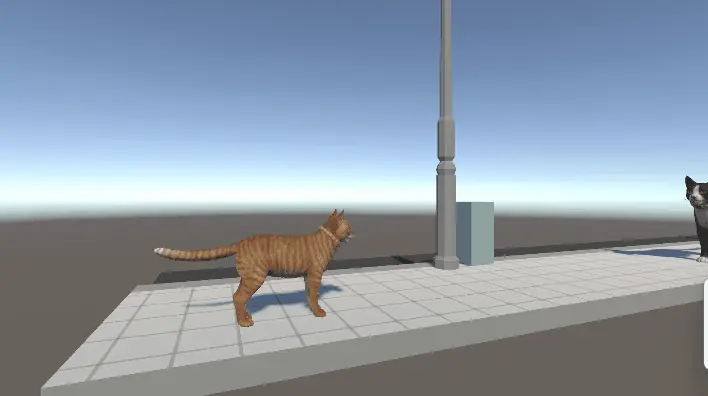
First, prepare Unity
Get a character and stage you like from the Unity Asset Store or elsewhere. Many character assets are sold together with animations, which is convenient because you can get them moving in Unity right away.
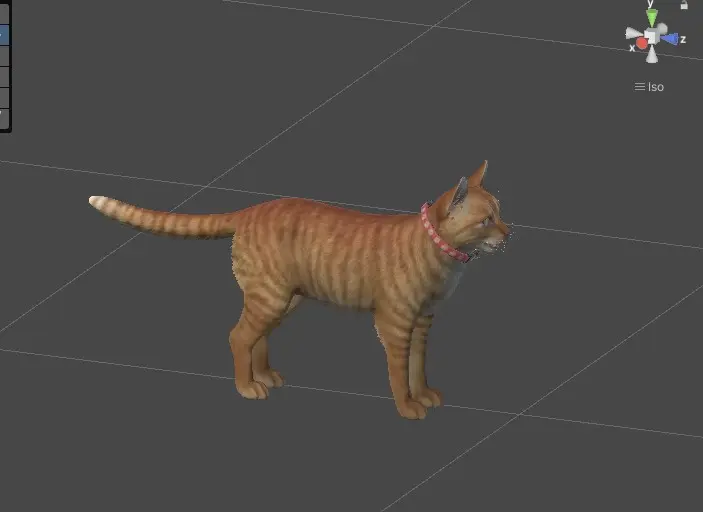
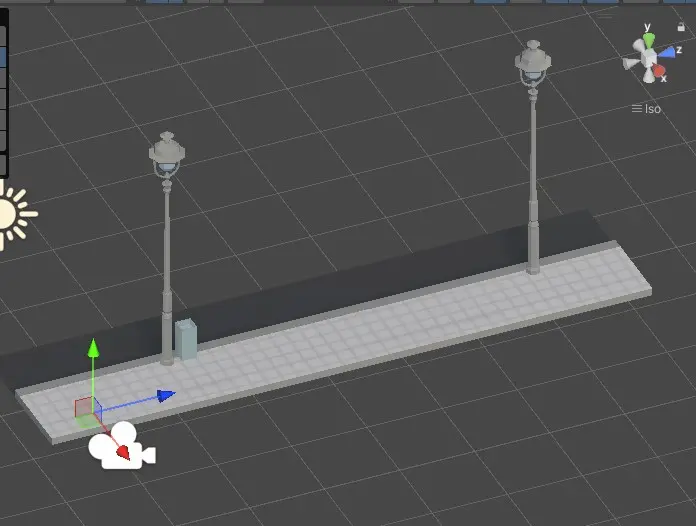
Have ChatGPT write the program
If you give ChatGPT an instruction like the following,
"Using C# in Unity, write a program that moves forward in the Z direction when the up arrow key is pressed, and moves backward at half the forward speed when the down arrow key is pressed,"
it will write the program for you. It also adds helpful comments explaining how to use the program, which is convenient.
Now, copy and paste this program into VScode or Visual Studio and save it!
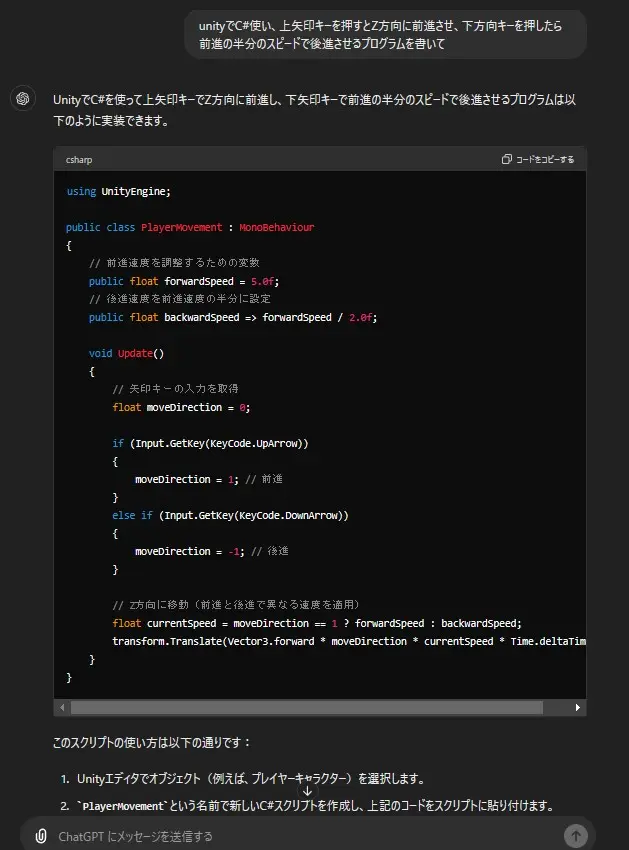
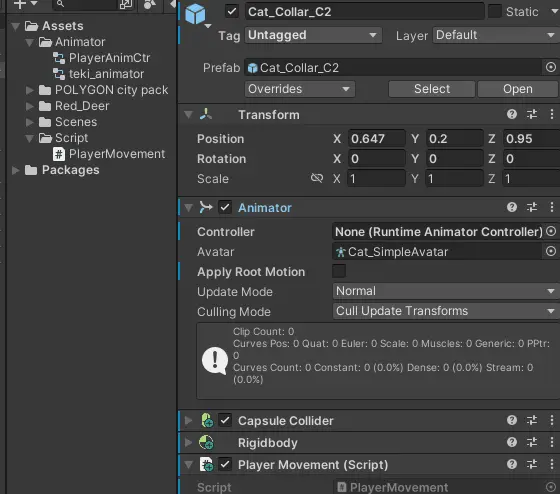
Attach the program ChatGPT just wrote to the player model.
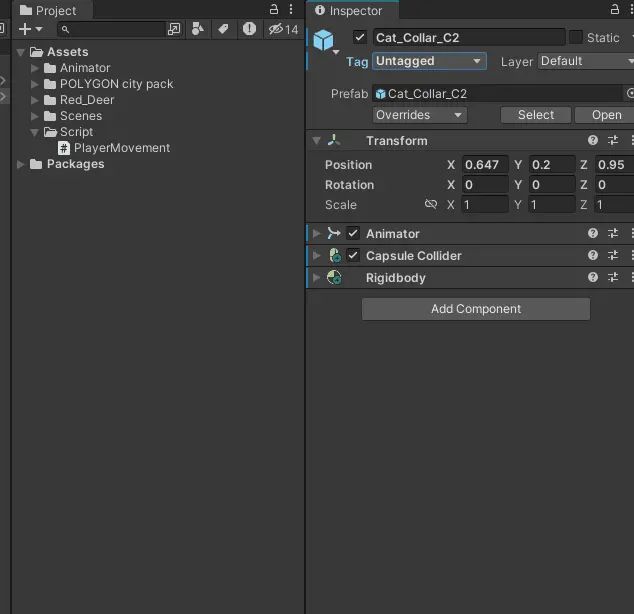
The player now moves forward and backward with the up and down arrow keys.
With just this, however, the player slides across the ground, so let's make it animate in response to the controls.
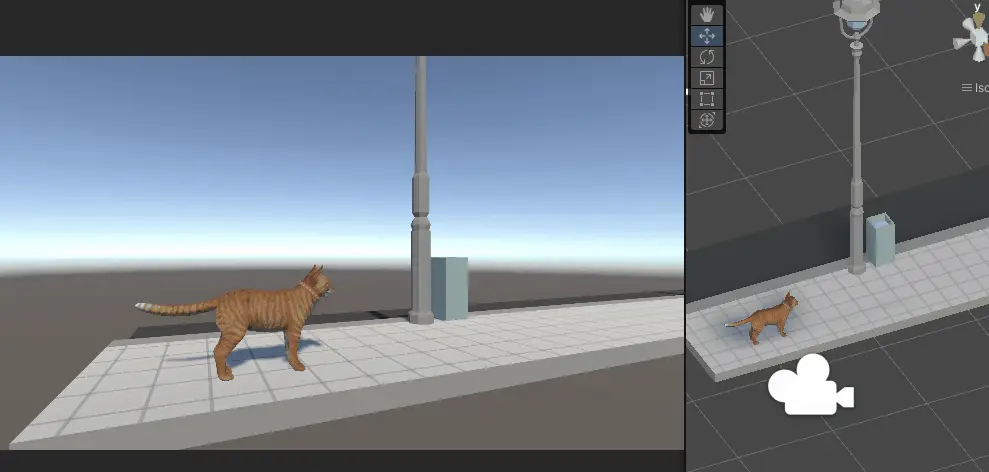
Set up animations in Unity's Animator
Place the animation data that came with the 3D character purchased from the Asset Store into the Animator and connect the animations. In this case, we connected idle, walk forward, walk backward, jump, and attack animations.
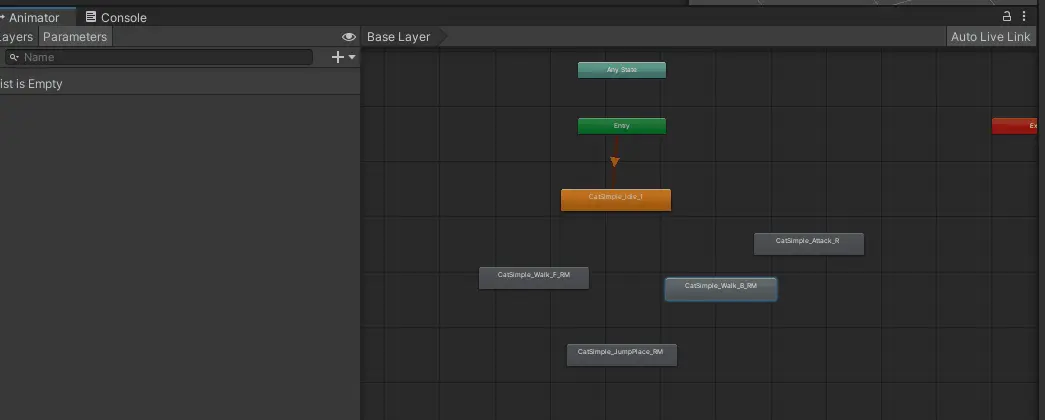
Next, create four bool variables: walk_f, walk_b, jump, and attack. A bool variable is a type of variable that is either "true" or "false"; simply put, it works like an on/off switch.
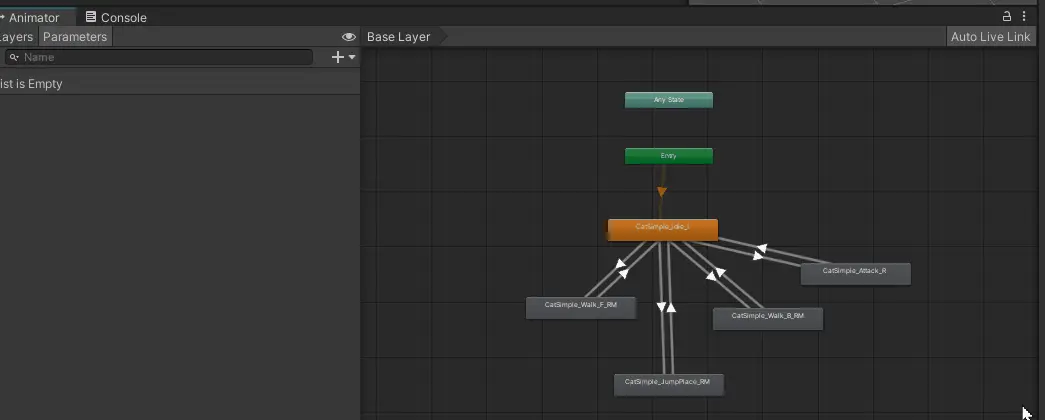
Assign the variable conditions that switch between the animations.
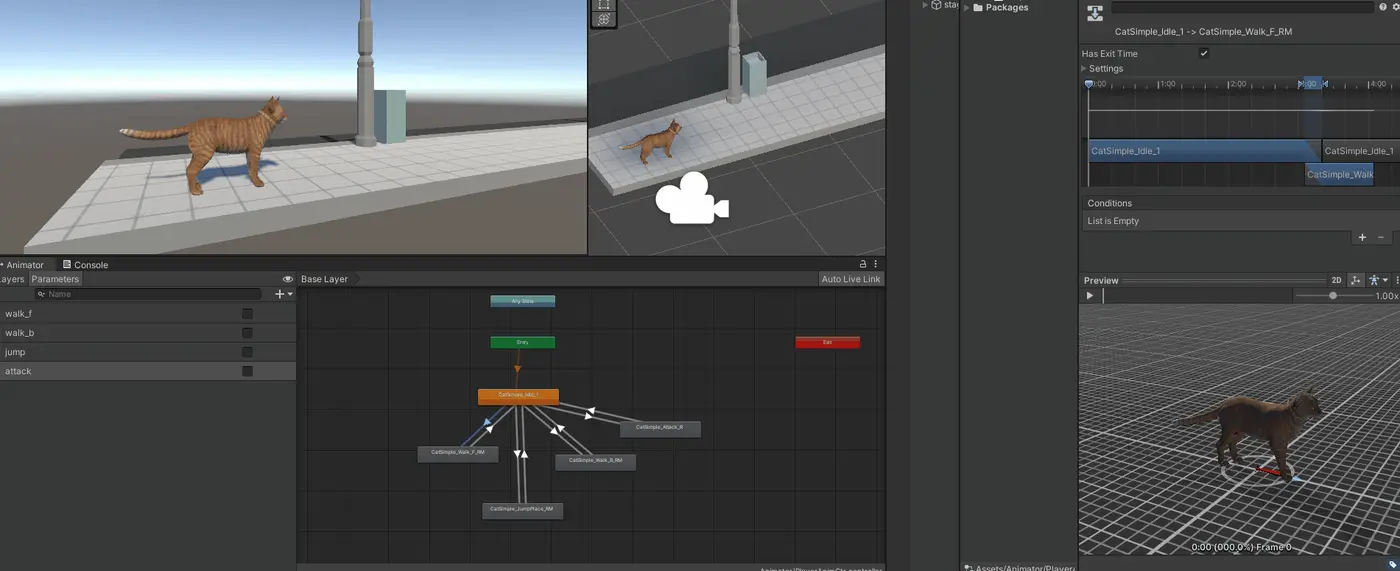
That completes the animation setup.
Don't forget to set the Animator on the player! If you forget, it won't animate.
Control the Animator's bool variables with ChatGPT
Let's have ChatGPT write a program to control the Animator bool variables we just set up with the keyboard. Even if you don't worry too much about how you word your request, it will generally write a pretty good program for you!
The instruction I gave ChatGPT:
"As an addition to the previous program, in the Animator, set walk_f bool to true when the up arrow key is pressed and to false otherwise, set walk_b bool to true when the down arrow key is pressed, set jump bool to true when the space key is pressed, and set attack bool to true when the A key is pressed."
Here is the program GPT wrote.
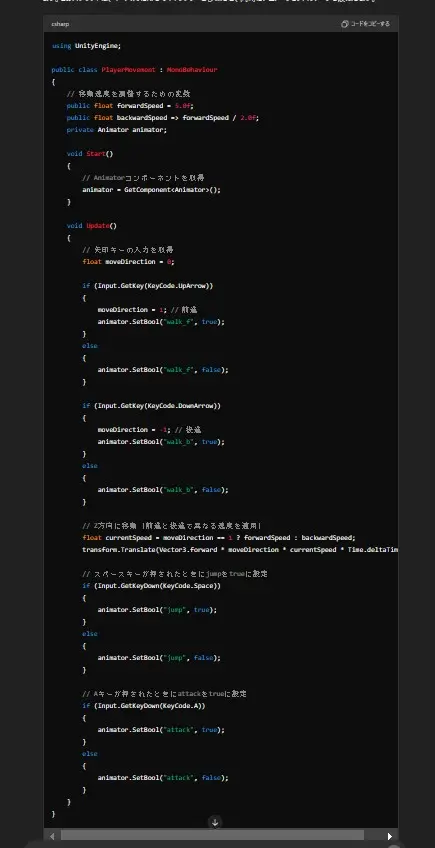
When I replaced the previous program with this one and ran it in Unity, the character moved with the up and down arrow keys, the space key, and the A key.
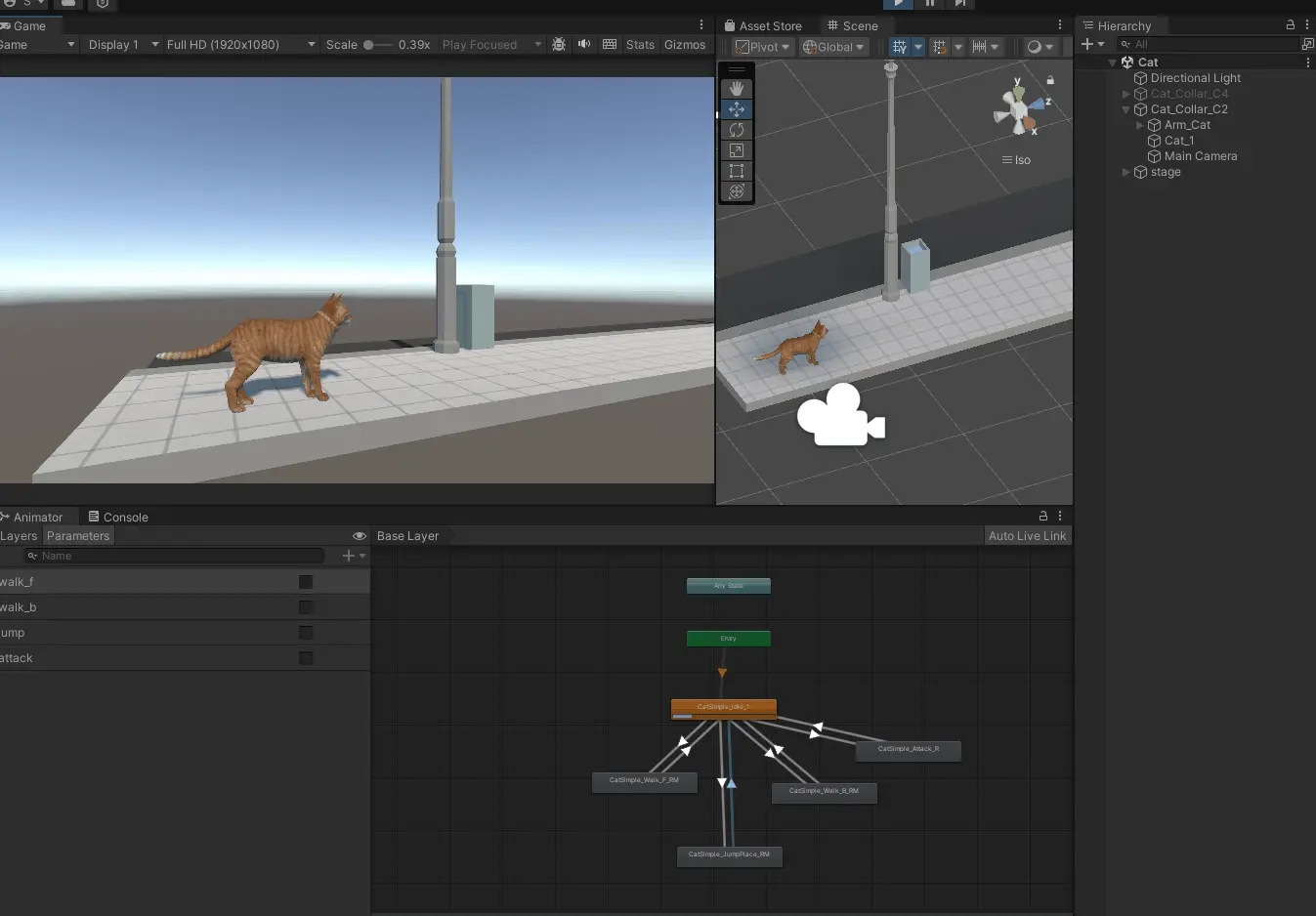
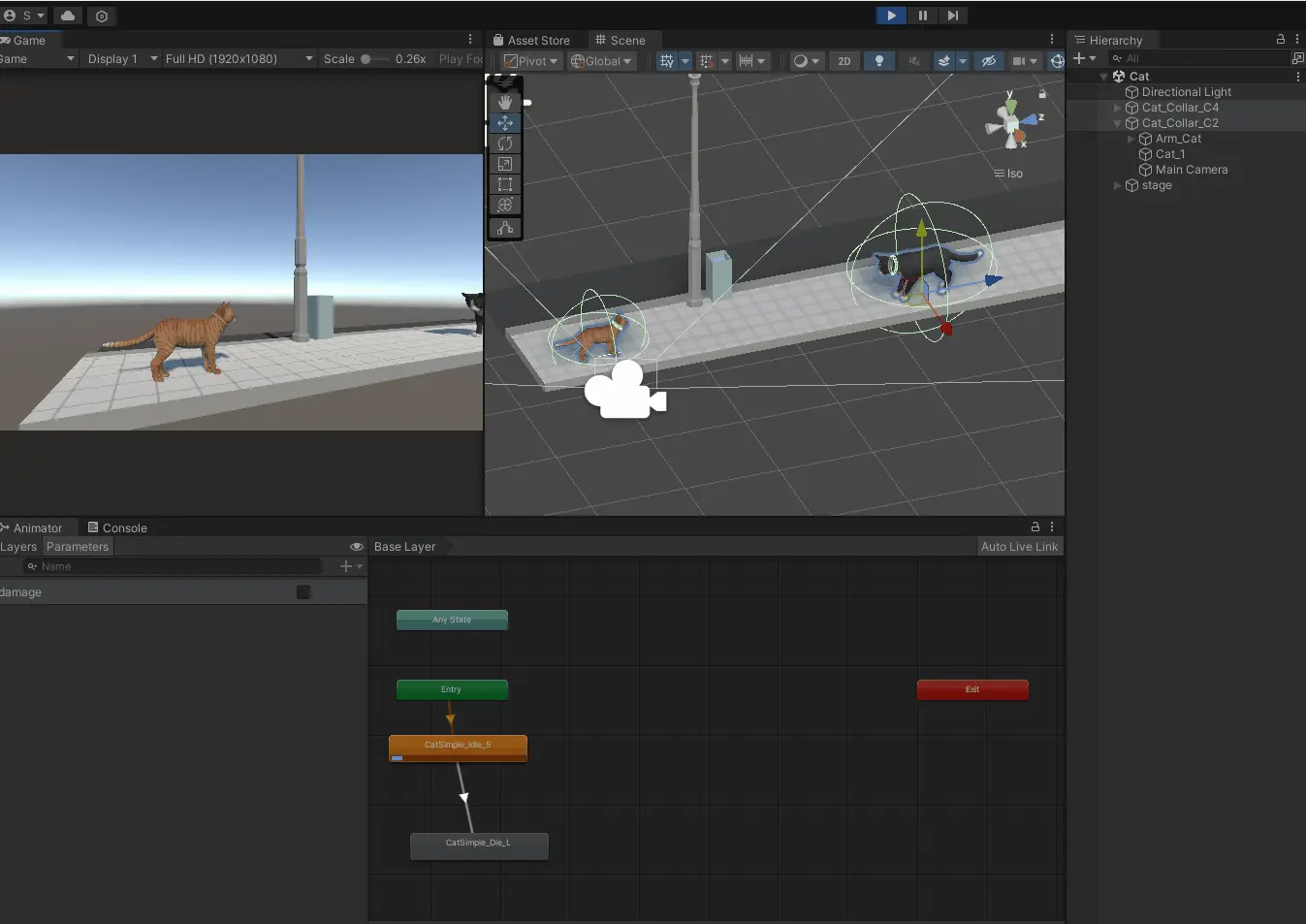
Finally, add an enemy character and give an instruction like the following:
"When the A key is pressed, if the Player tag and the Enemy tag are in contact, set the Enemy tag's Animator damage bool to true after 1 second."
A program like the one below is generated.
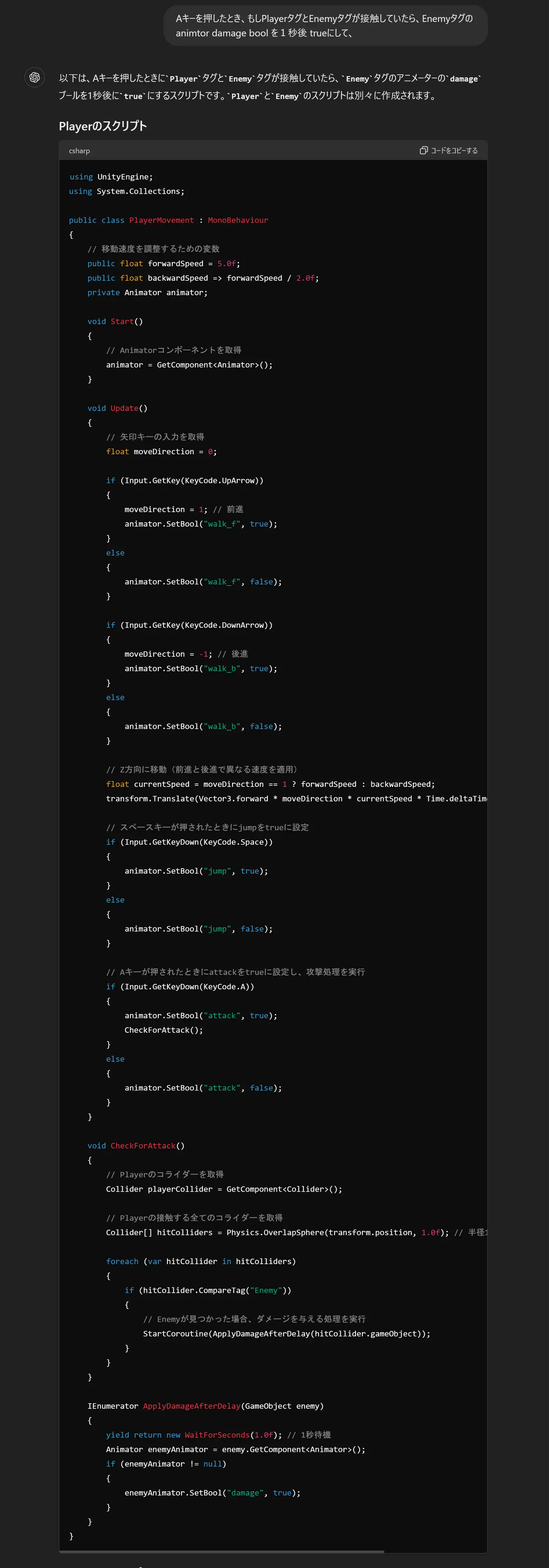
When I replaced the program and ran it in Unity, I could defeat the enemy character by pressing the A key.
In closing
This time, I used ChatGPT to generate programs and created simple controls for a game character. The programs ChatGPT generates can be adjusted in many ways through your instructions. It may be hard to know how to phrase instructions unless you are somewhat used to working in Unity, but this showed that you can handle the basics even when you leave the work to AI. You can also study programming with AI, for example by adjusting values based on the generated program.
Through using AI, I found that learning with AI in addition to the web and books I have relied on until now is a very efficient way to gain knowledge. In my daily work as well, I want to keep learning new technologies while making good use of AI.