- Home
- Works & Tech
- We Tried "Adobe Firefly" in Photoshop (Beta)
Tech ArticlesWeb
We Tried "Adobe Firefly" in Photoshop (Beta)
What is Adobe Firefly?
"Adobe Firefly," a generative AI feature, is available as a web version (a tool you can operate in an internet browser). By entering text, you can generate an image or paint over part of an image.

Trying the web version of "Adobe Firefly"
Since my self-portrait avatar is a rabbit, I'll try generating a "working rabbit."
Using the web version of "Adobe Firefly"
Open https://firefly.adobe.com/ in an internet browser. Enter [working in a bright office / using a computer mouse / rabbit in a costume / casual clothes] as the prompt and generate with AI.
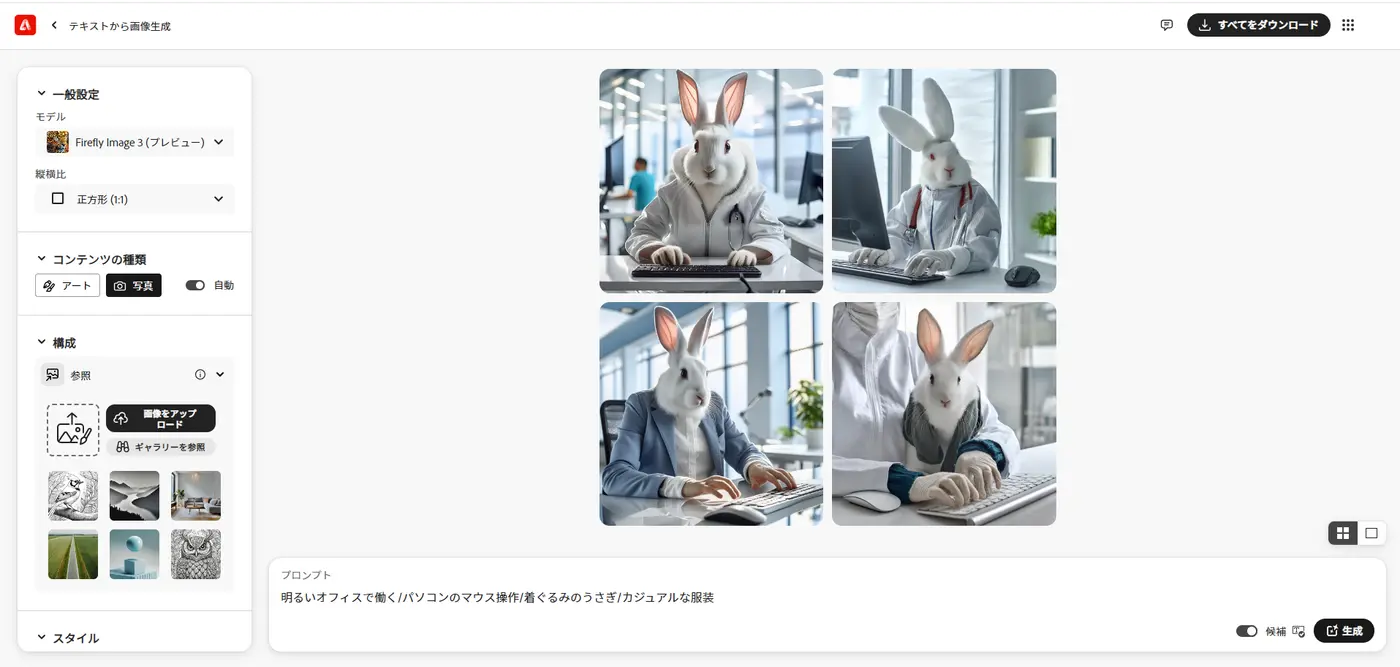

The mouse became a keyboard, and for some reason the rabbit is wearing a stethoscope, but the fluffy hoodie was so cute that I chose this image and downloaded it.
Retouching the generated image in Photoshop
As it is, the rabbit looks like a medical professional, so I retouched the downloaded image in Photoshop.

The stethoscope is gone. It felt like something was missing, so, thinking of what goes with a rabbit, I generated and composited an additional element.

I was able to add a portable carrot.
Trying "Adobe Firefly" in Photoshop (Beta)
The "Adobe Firefly" features are now built into some Adobe software as well. The Generative Fill feature has also been added to the regular version of Photoshop, but the beta version has more AI generation features, so I used the beta version of Photoshop this time.
When a shopping mall or facility newly opens, have you ever seen an advertisement where the facility and the people gathered there appear to be composited together?
Our work includes CG production for real estate properties and compositing CG with live-action footage, and we are sometimes asked to composite people into the lounges, guest rooms, and other shared facilities of condominiums that we created in CG.
In our work, we select suitable assets from paid stock collections and place them. Finding assets that match the angle of the base building, the season, and the atmosphere from a limited selection is very hard work.
I ran a test of compositing people to see whether "Adobe Firefly" could handle this difficult selection work.
Generating people with "Adobe Firefly" in Photoshop
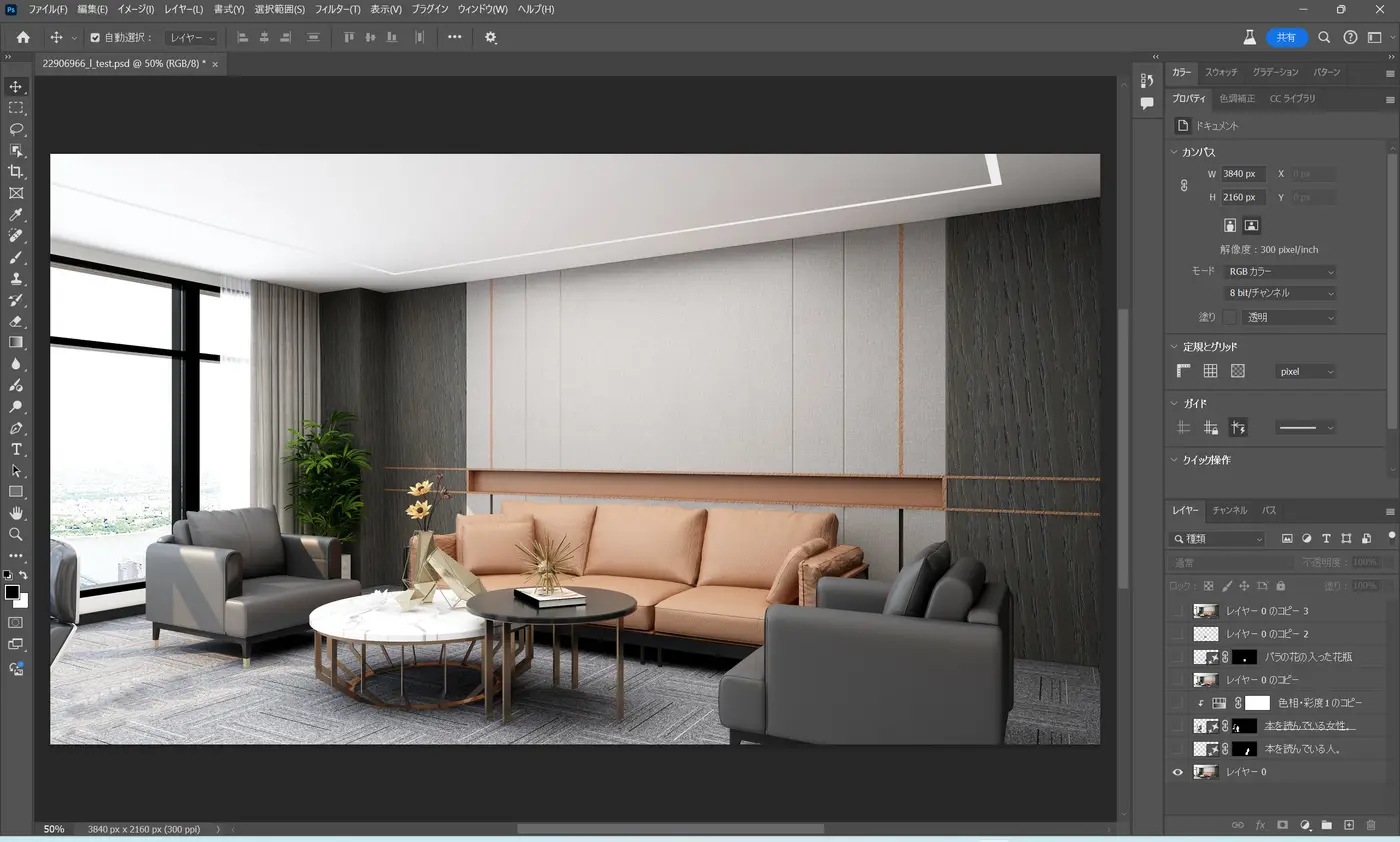
Using a stock photo of an interior as the base, I'll try generating a "woman reading a book" on the sofa on the left.
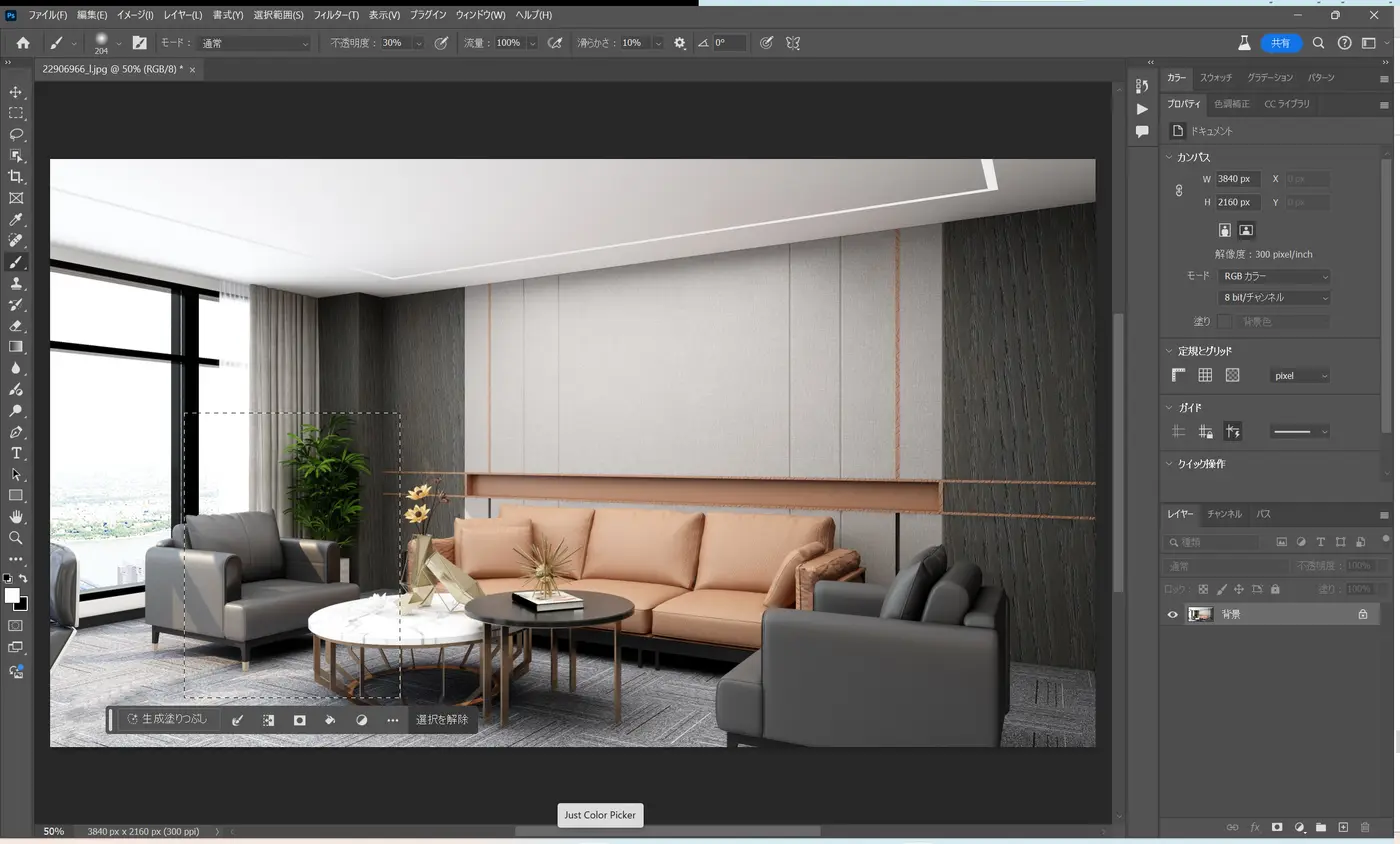
Select the area, choose Generative Fill, and enter "A woman reading a book."
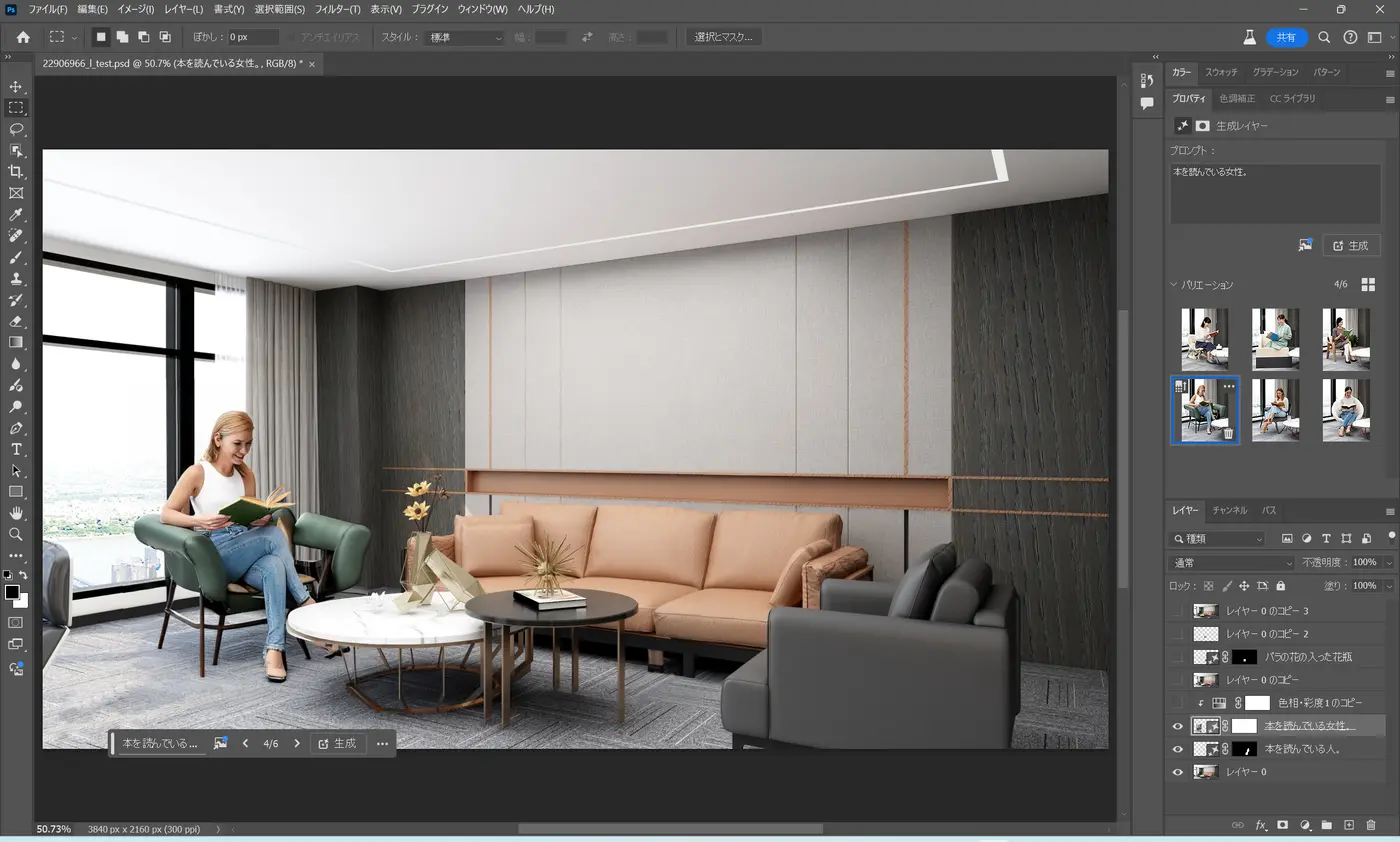
A "non-Japanese woman sitting in a green chair reading a book" was generated.
Next, I'll change her to a Japanese woman. I entered "A Japanese woman reading a book" and generated.
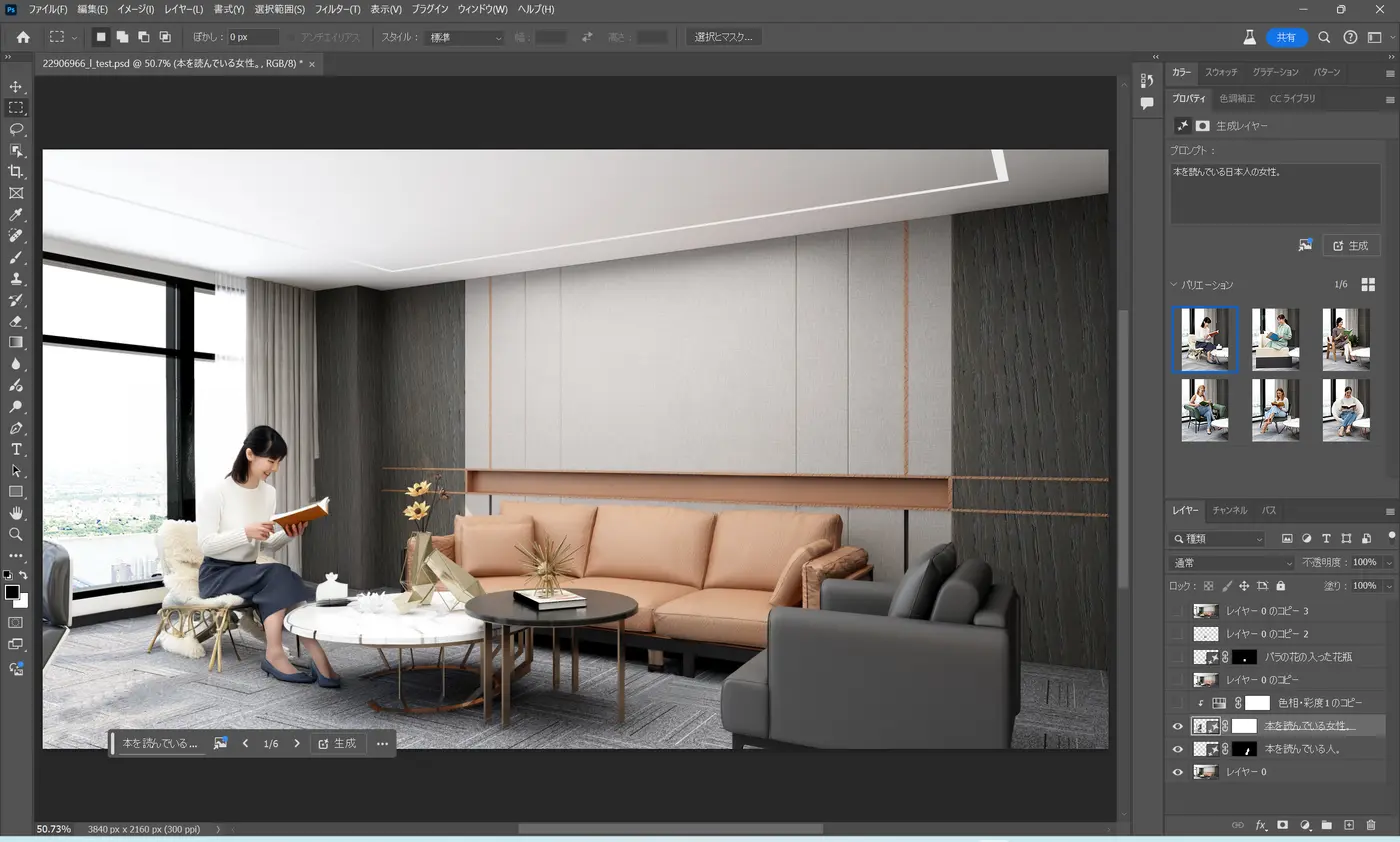
The chair is still different, but a Japanese woman was generated.
Adjusting the person generated with "Adobe Firefly" using Photoshop features
She is a little too large, and I want to use the sofa that comes with the property, so I kept only the seated woman. From here, I made various adjustments using Photoshop features, much as in our usual work. (Details omitted)
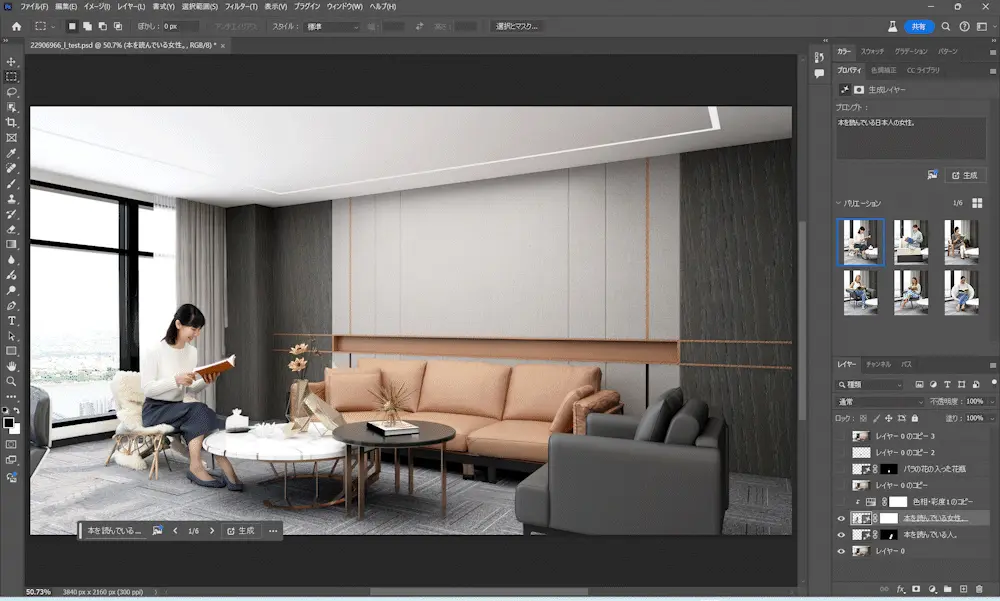
Finally, I added shadows on the sofa and carpet, and it was done.
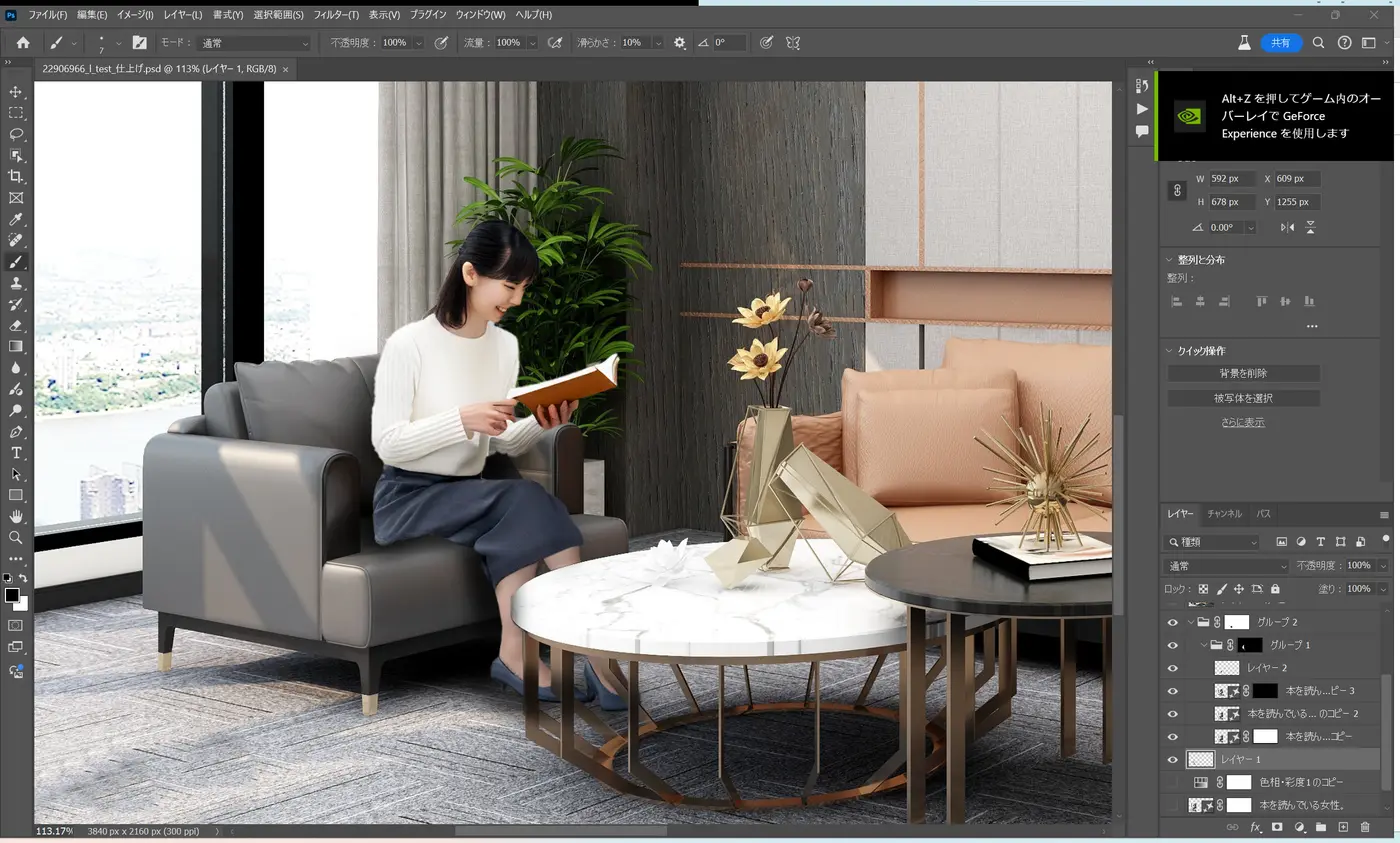
In actual work we go into much finer detail, but for now, this is how it turned out.
Can "Adobe Firefly" be used for work?
I tried blending the generated person into the interior photo, but the face, fingers, and wrinkles in the clothing look unnatural, so my impression is that it may not yet be usable for final deliverables.
However, when used for proposals at the presentation or demo stage, it can visually convey the image we are proposing even when the actual items don't exist.
Changing the interior with "Adobe Firefly" features alone
Up to this point I relied heavily on Photoshop, so I'll test how much can be done with "Adobe Firefly" features alone.
I'll turn the book and the spiky object on the central table into "roses in a vase."
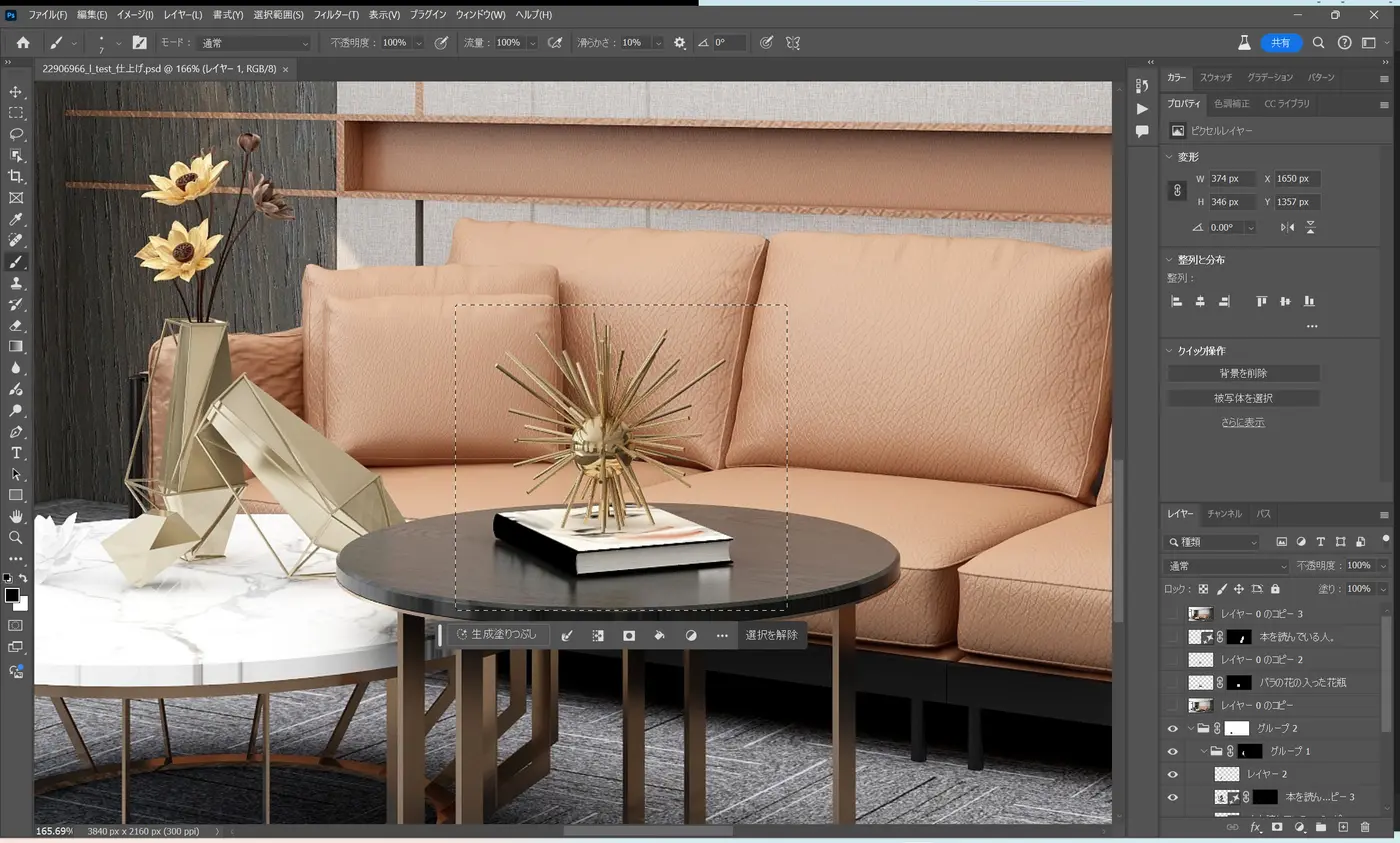
Roughly select the area and enter "A vase with roses."
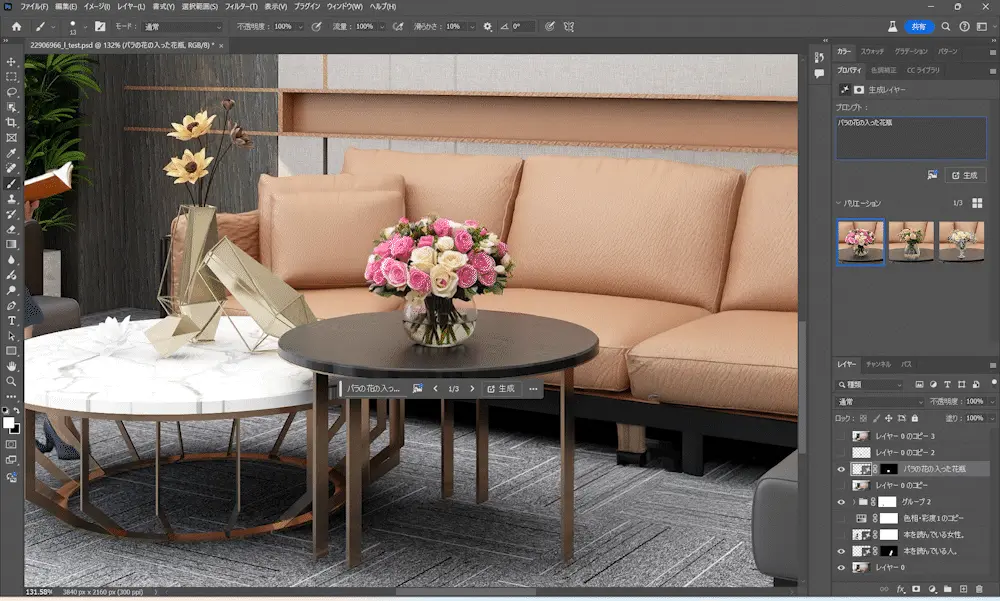
The object on the table was replaced with a generated "vase with roses."
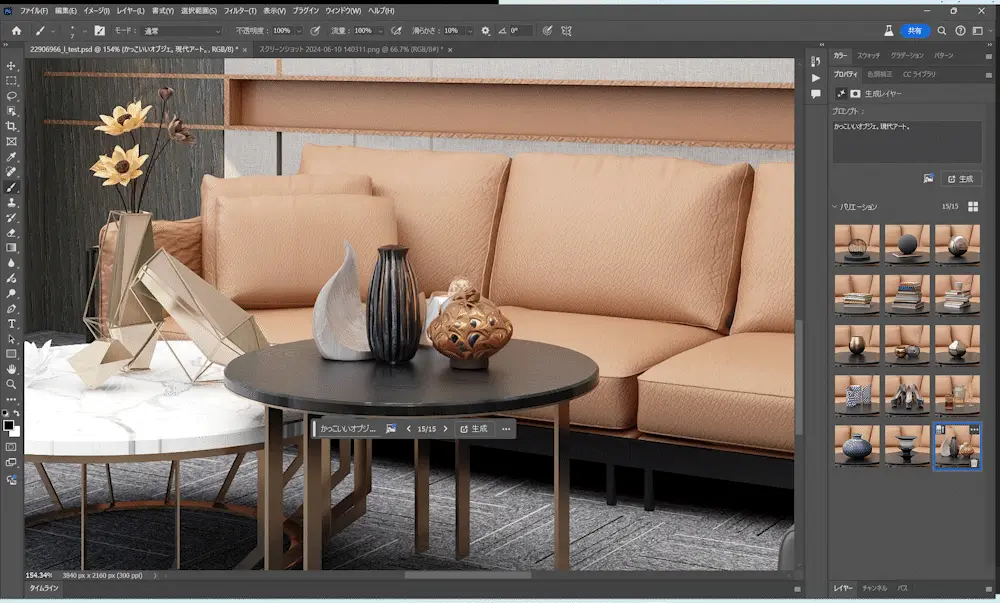
I also generated a stylish object in a model-room style. The sofa in the background adapts naturally to the shape of the object, and the reflection on the table is rendered properly.
Bonus
At first, I tried to generate a person reading a book on the central sofa.
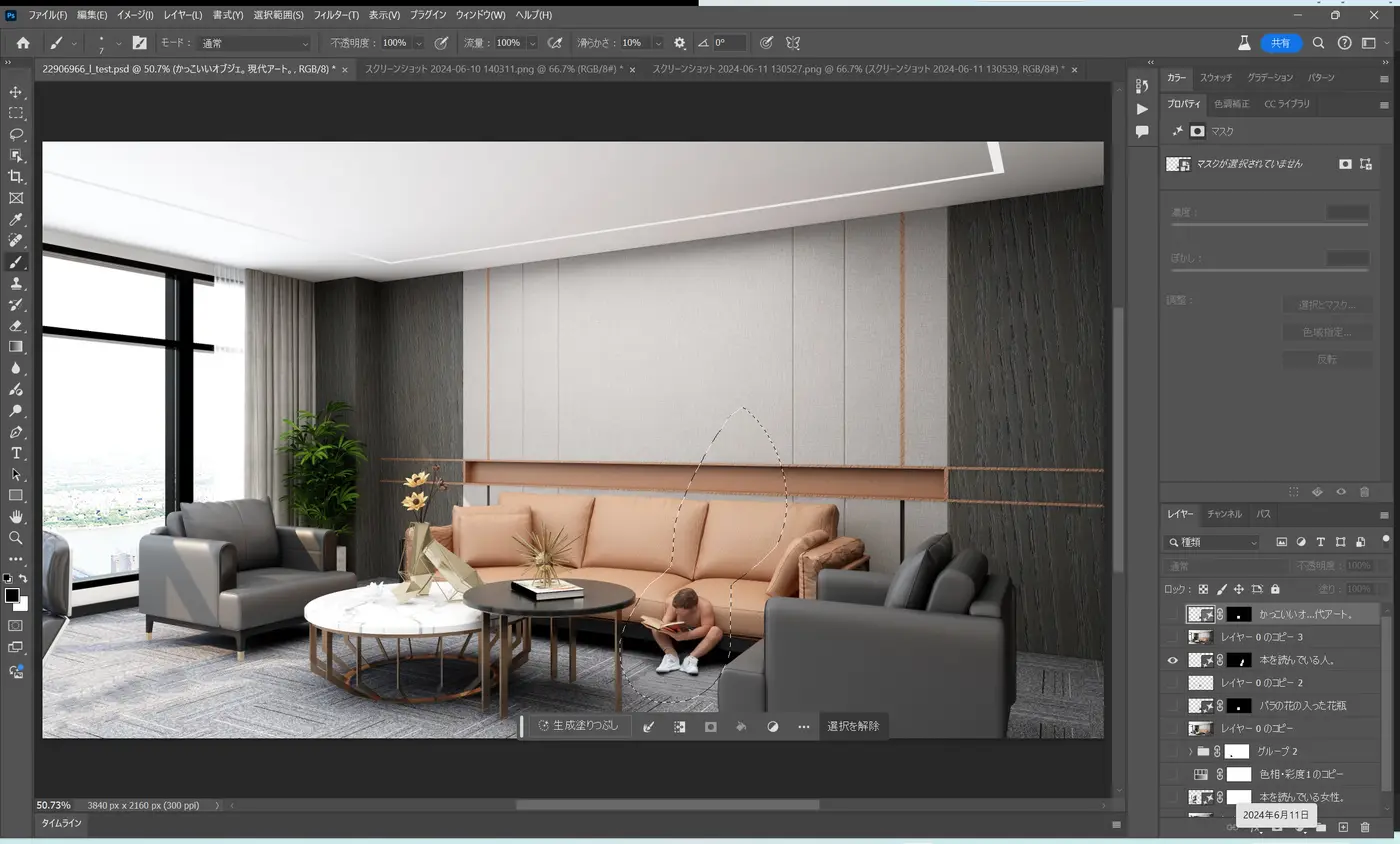
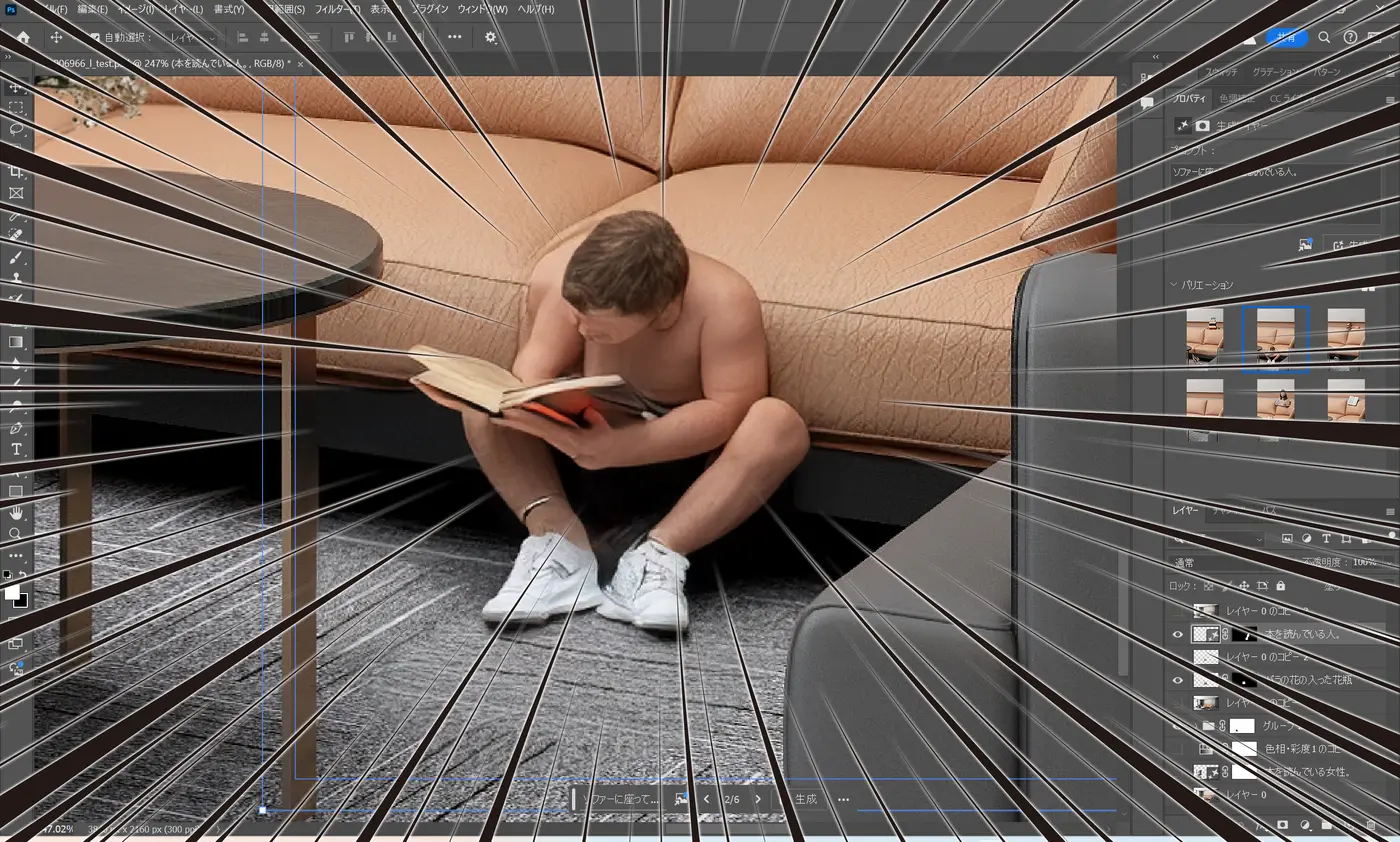
Final thoughts
There are still many points to be careful about with AI generation, but used appropriately, it can bring benefits to businesses.
At WAN, we will continue working hard every day to adopt new technologies proactively and appropriately so that we can meet our clients' needs.