- Home
- Works & Tech
- Easy for Anyone? We Tried Making a 3D Model with the Free Site "Monster Mash"
Easy for Anyone? We Tried Making a 3D Model with the Free Site "Monster Mash"
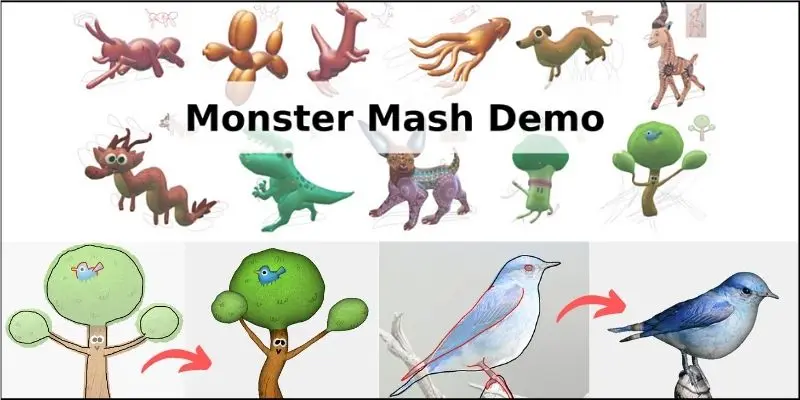
Recent advances in 3D modeling technology have made it possible for anyone to easily create their own original characters. "Monster Mash" is a wonderful website that makes that dream come true. It is especially well suited to creating animal characters and is popular with a wide range of users, from beginners to professionals. In this article, we take a detailed look at how to use the "Monster Mash" site and what makes it appealing.
What is Monster Mash?
"Monster Mash" is a website that lets you create 3D models easily. It is ideal for creating animals and fantasy characters in particular, and its intuitive controls make modeling fun for anyone. It offers a wealth of tools and resources for creating animal characters, so even beginners can easily aim for a professional-looking result.
How to use Monster Mash
Access the website
First, open your browser and go to the official "Monster Mash" website at https://monstermash.zone/
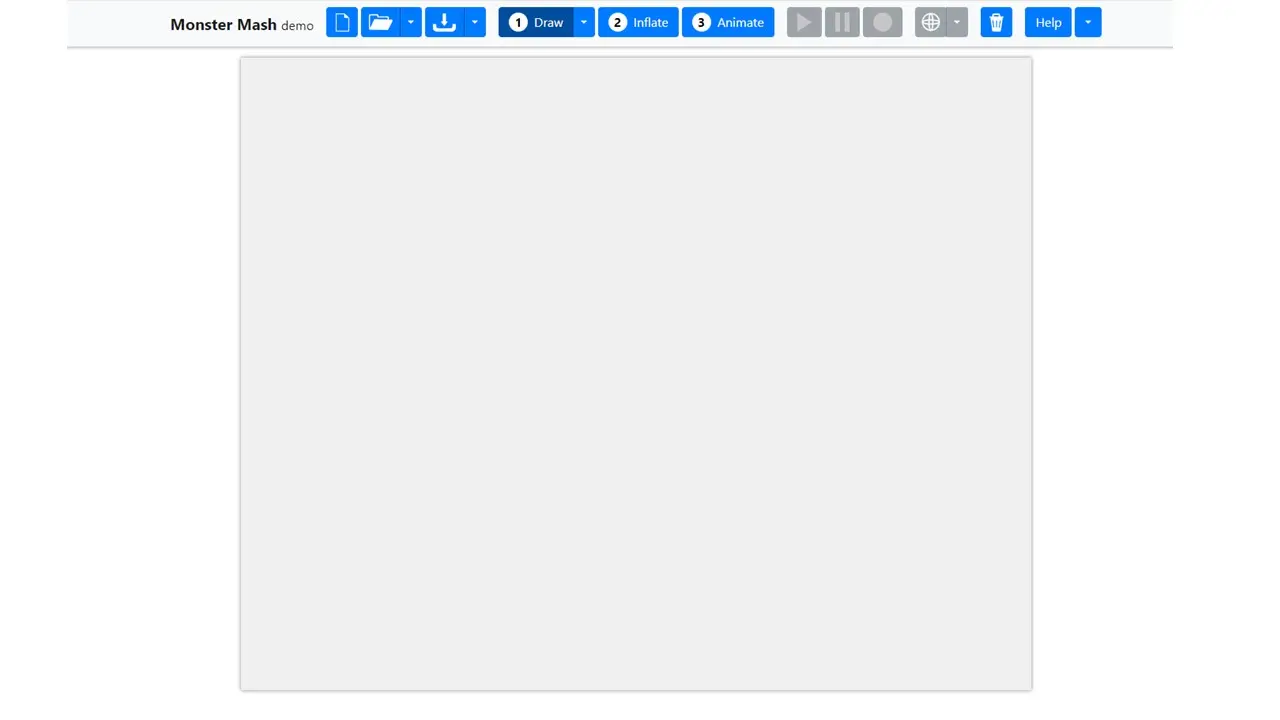
Upload the photo you want to turn into a model
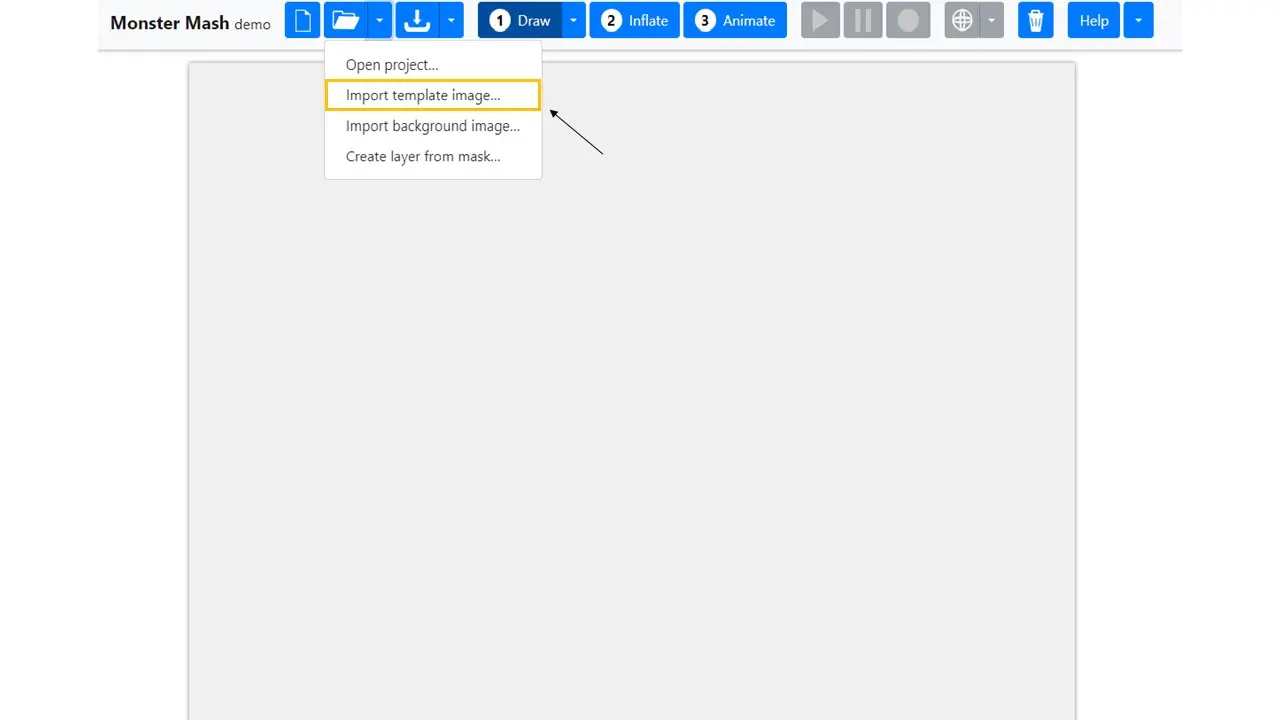
Click the down arrow under the folder icon, second from the left, and select "Import template image…". A folder window opens, so upload the photo you want to use as the model. This time, we will extract a rhinoceros as our model.
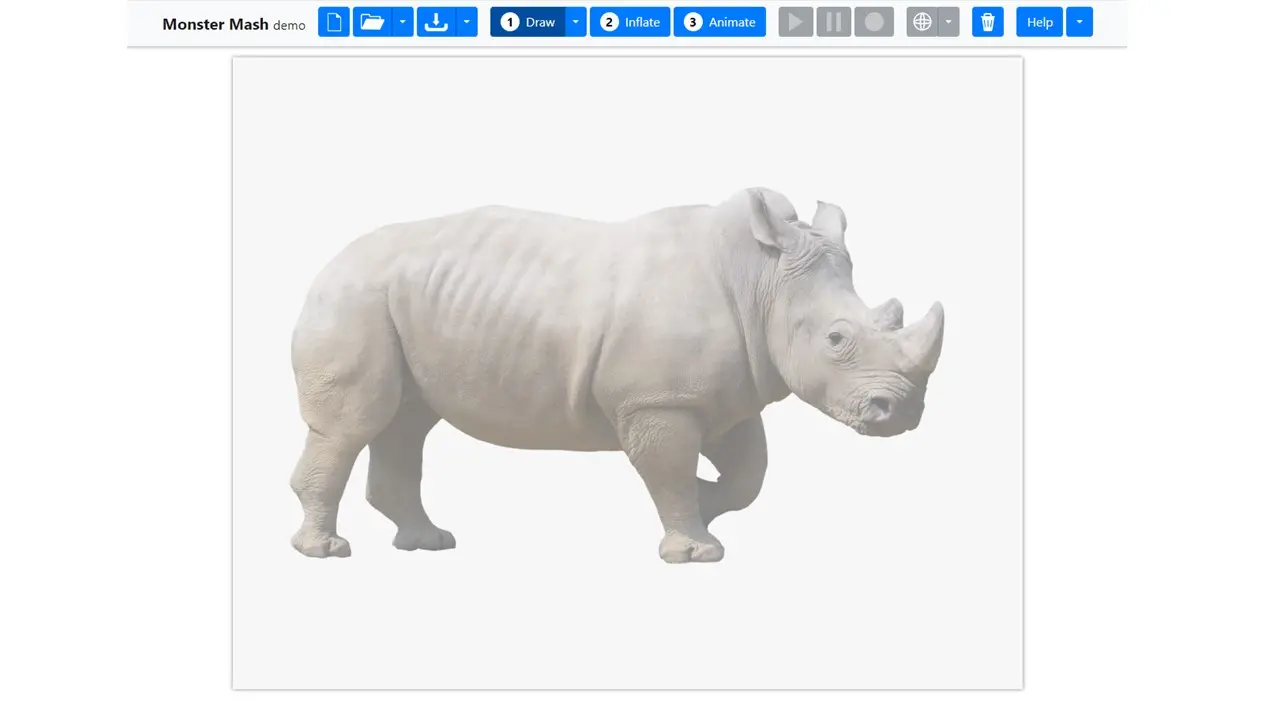
Extract the shape from the photo
Use the feature that automatically extracts a 3D shape from the uploaded photo. Select the part of the photo you want to model and generate the shape.
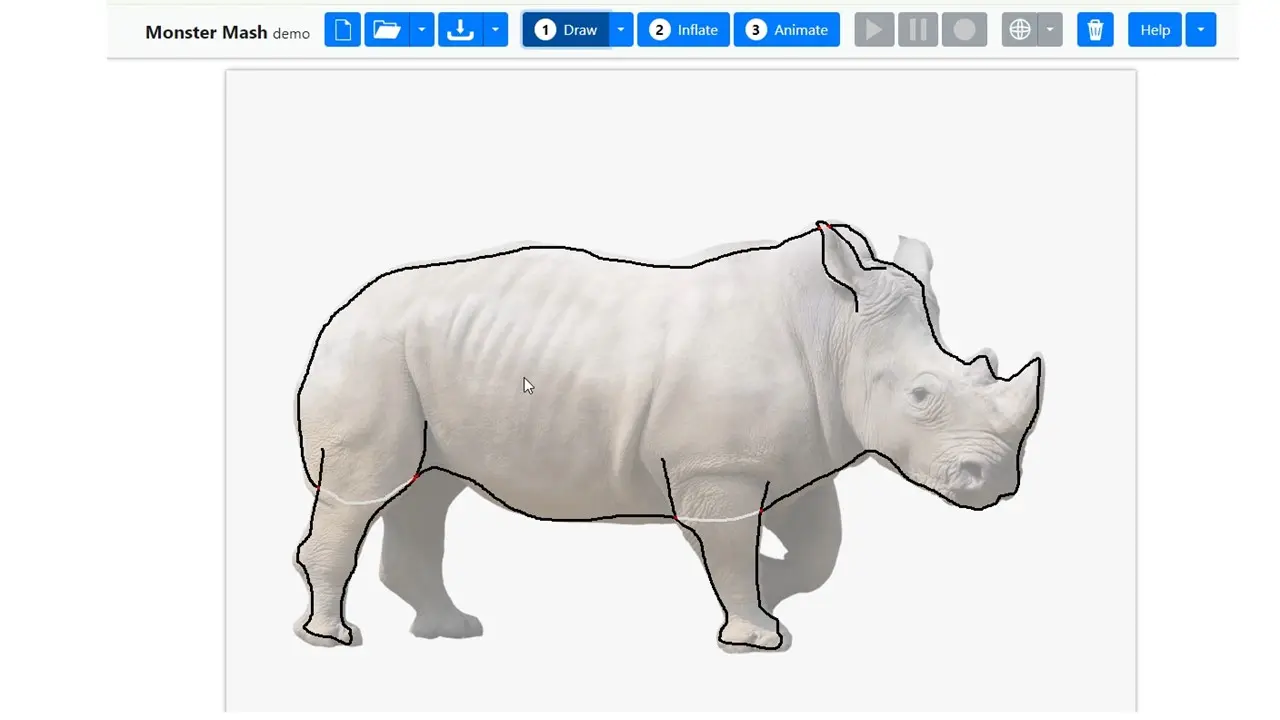
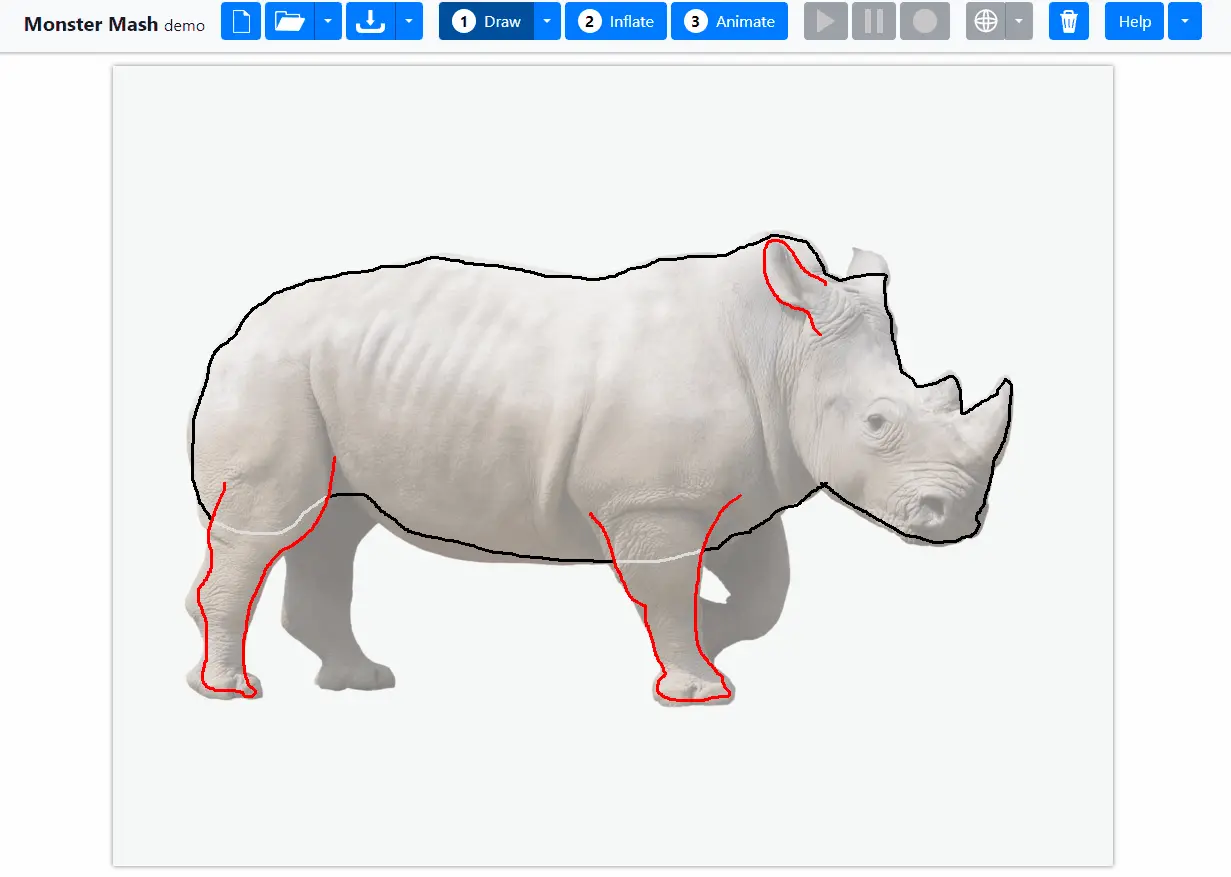
First, carefully trace the rhino's body. Clicking "Draw" at the top lets you start extracting. Note: the shape will not be extracted cleanly unless you trace it in a single continuous stroke. A tip for clean extraction is to trace along the inside of the model's outline.
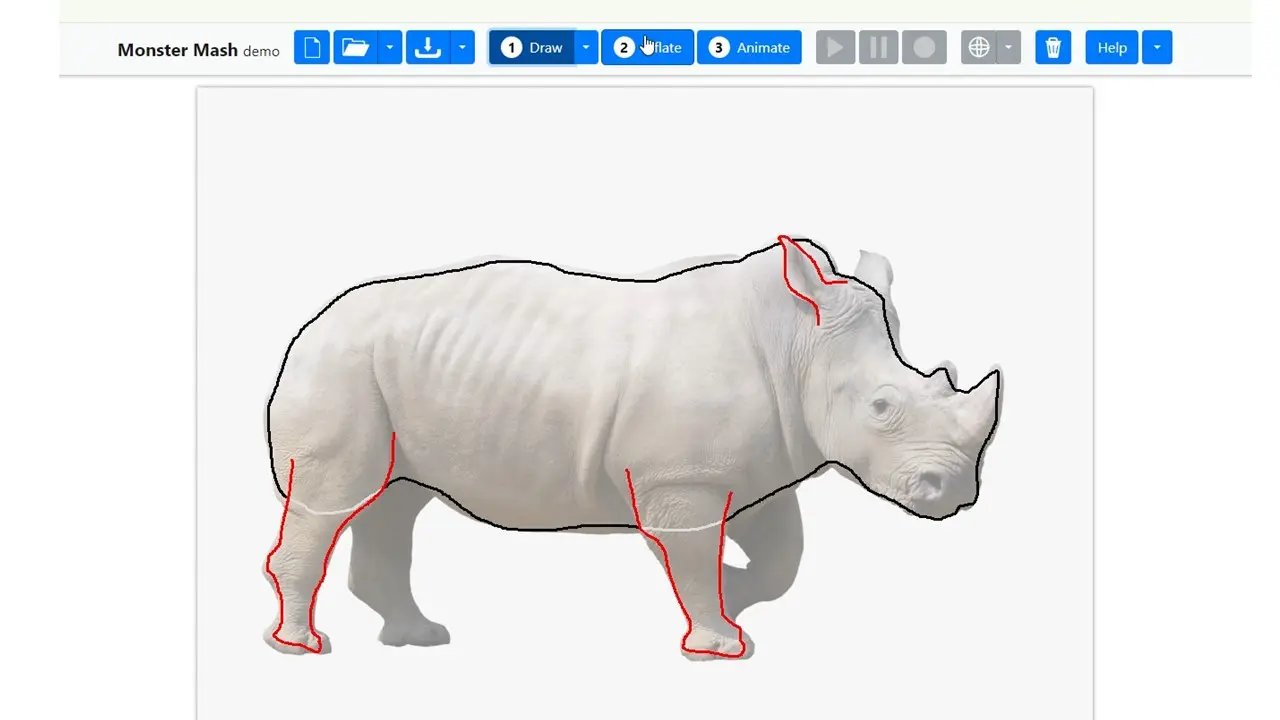
Next, extract the legs and ears. A handy feature when creating legs and ears: double-clicking one leg or ear automatically extracts the same part on the opposite side as well. This makes it easy to create symmetrical parts.
Save the finished model
The finished model can also be used as model data on other platforms.
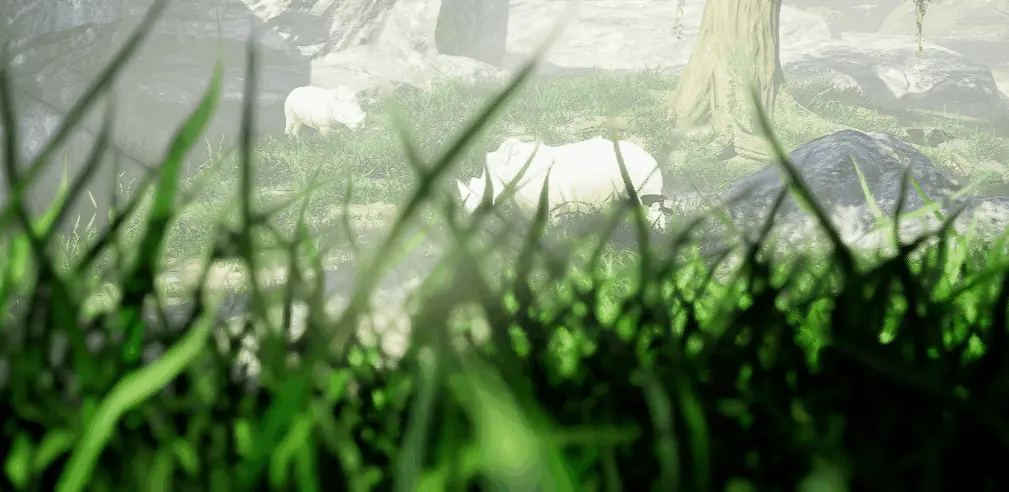
Using UE5, which I wrote about in my previous blog post, I made a short video as a GIF.
Finally
Besides videos like this one, we can produce all kinds of videos, so please feel free to consult or contact us.